
@dekkia We publish such disclaimers for those who don’t like AI, and it’s totally fine if you don’t. However, many people don’t mind using AI tools when working on their documents. We want to keep everyone updated about what we do, including AI updates and improvements.
XFEDI
ActivityPubRemote profile

Posts
@cm We understand that some users might not like AI technology, but we want to keep everyone updated about what we do, including AI updates and improvements. That’s why we publish posts about AI even though we face opposition here. Using ONLYOFFICE, everyone can choose whether they need AI tools or not.
#ONLYOFFICE Cloud 10.0 is out, and yes, there's a new #AI Chat.
A few details:
✔️ It's optional. Skip it if it's not for you.
✔️ You choose the provider. No lock-in.
✔️ The editors work the same without it.
If you don't mind using AI tools for document editing in the cloud, you can check how it works.
More information: https://www.onlyoffice.com/blog/2026/10/cloud_ai_10?utm_source=social&utm_medium=post&utm_campaign=fosstodon
 ONLYOFFICE Blog10 things to know about AI in ONLYOFFICE Cloud 10.0 | ONLYOFFICE Blog10 things to know about AI in ONLYOFFICE 10.0 cloud: how to activate it, pricing, available models, AI agents, file generation, MCP servers and more.
@fvb Sorry to hear that. You need to log into your clouds again. Please take a look at the changelog on GitHub for more information: https://github.com/ONLYOFFICE/DesktopEditors/blob/master/CHANGELOG.md#1000
🔒 #ONLYOFFICE 10.0 brings 40+ vulnerability fixes for the online editors and desktop app.
A few highlights:
✔️ XSS fixes to keep shared files safe
✔️ Two macro sandbox escapes closed
✔️ Hidden JavaScript in PDFs no longer runs
✔️ And more fixes
Self-hosting? Your install won't update itself, so upgrade soon.
Full details on our blog: https://www.onlyoffice.com/blog/2026/10/security-fixes-onlyoffice-10?utm_source=social&utm_medium=post&utm_campaign=fosstodon
Questions about upgrading? Drop them below!
 ONLYOFFICE BlogONLYOFFICE 10.0: A closer look at the latest 40 security fixesONLYOFFICE 10.0 includes 40+ security fixes for online editors and desktop apps, improving protection for documents, users, and infrastructure.
@bootlegrydia Thank you for your feedback. AI is one of our key development priorities, and we're investing significantly in its future. We've chosen a separate proprietary licensing model for AI Tools to support its long-term development, while continuing to invest in our open-source editors. We don't see this as a contradiction: our commitment to open source remains unchanged, and users retain full control over whether and how they use AI, including their choice of models and providers.
@bootlegrydia Hi. The source code will be updated to version 10.0 soon.
Big news in the #ONLYOFFICE 10.0 release: ONLYOFFICE DocSpace is now a set of modular apps🔥
You turn on the apps you need, skip the ones you don't, and the editors and apps work together as one system:
✅ AI Agents
✅ Forms
✅ Rooms
✅ Files
Instead of shaping your work around the software, you shape the software around your work.
Already on DocSpace? Your account switches over automatically, no action needed.

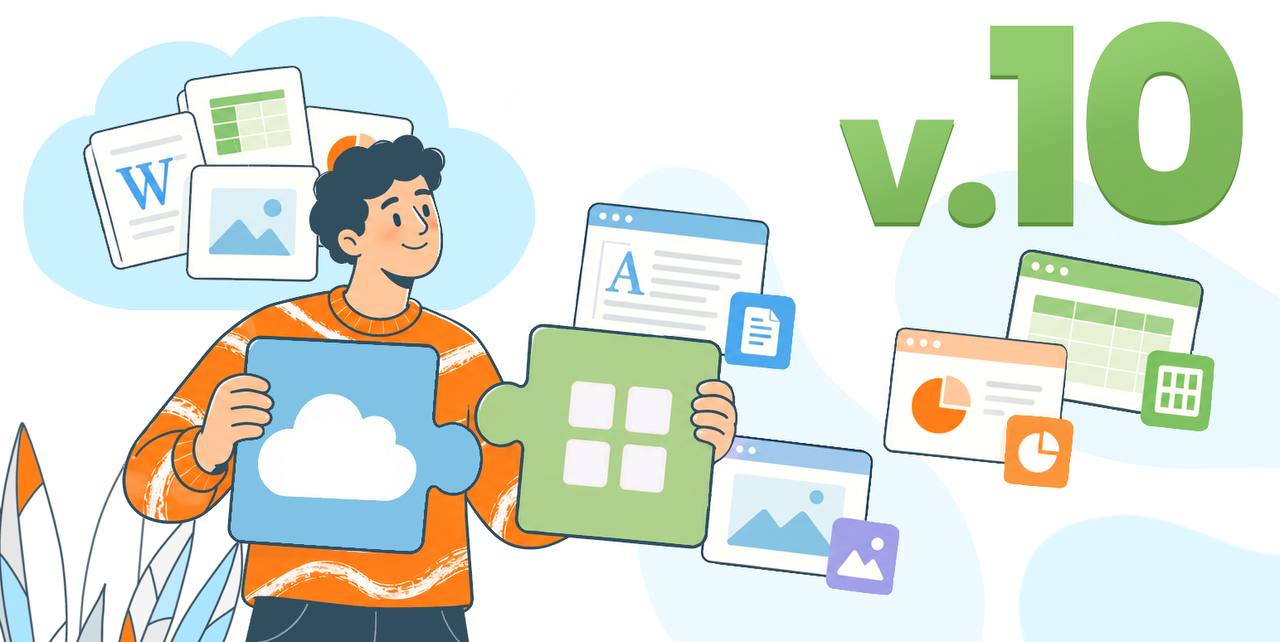 ONLYOFFICE BlogFrom ONLYOFFICE DocSpace to Apps: Upgrade the way you workONLYOFFICE 10.0 replaces DocSpace with modular apps, giving you flexible building blocks to organize work your way and get more done with less effort.
The wait is over: #ONLYOFFICE Desktop Editors 10.0 is here!
What's new:
✔️ A cleaner, redesigned start window
✔️ Odoo as a new cloud provider
✔️ Thinner window frames and window shadows on Linux
✔️ Reusable signatures in forms
✔️ Sheet background support in spreadsheets
✔️ Export slides as GIF/video and more
Available for Windows, Linux and macOS. Snap, Flatpak and AppImage packages are coming soon.
Which update will you try first?
 ONLYOFFICE BlogONLYOFFICE Desktop Editors 10.0: brand-new AI tools and moreONLYOFFICE 10.0 is coming to your desktop! Read this blog post to find out what’s new in ONLYOFFICE Desktop Editors 10.0, including brand-new AI tools and more.
Great news for those who use the self-hosted version of the suite!
#ONLYOFFICE Docs 10.0 is already available for local deployment.
The latest version is now available for Ubuntu, CentOS, Windows and Docker, bringing 50+ new features, AI tools, performance improvements and security updates.
Get ONLYOFFICE Docs 10.0 on this page: https://www.onlyoffice.com/download?utm_source=social&utm_medium=post&utm_campaign=fosstodon
www.onlyoffice.comDownload ONLYOFFICE server solutions for businesses’ internal use | ONLYOFFICE
Do you want to try #ONLYOFFICE Docs 10.0?
Sign up for a free cloud account and explore the latest version of the editors right away: https://www.onlyoffice.com/docspace-registration?utm_source=social&utm_medium=post&utm_campaign=fosstodon
The new version for self-hosted solutions will be available a little later. We’ll keep you posted!
www.onlyoffice.comGet a free account for your business | ONLYOFFICECreate a free Startup account of ONLYOFFICE. Update it to the Business account to get more security and branding options.
@lorask No problem. Just use the open-source community version and don't install the AI Tools module.
@andre1 The new version is already available in the cloud. The self-hosted and desktop versions will be updated soon.
Great news, everyone!
#ONLYOFFICE Docs 10.0 is finally out 🚀
#AI tools in every editor, 50+ new features, 4 new modular apps, 1,000+ bug fixes and 35 fixed vulnerabilities in one big release.
Based on community feedback, AI is no longer built into the open-source versions. Add it separately only if you want it, and connect any model, including local ones.
Which update will you try first?
Discover all the details in this blog post: https://www.onlyoffice.com/blog/2026/10/onlyoffice-docs-10?utm_source=social&utm_medium=post&utm_campaign=fosstodon

 ONLYOFFICE BlogMeet ONLYOFFICE Docs 10.0: AI tools and modular appsONLYOFFICE Docs 10.0 brings 50 new features, 1,000+ fixes, and 35 security updates to make work with docs, sheets, PDFs, and slides faster and safer.
#ONLYOFFICE 10.0 is almost here, and we’ll be showing you all about it tomorrow on YouTube.
In the webinar on 10 October, you’ll discover:
✅ How to collaborate more seamlessly with your team, even if everyone is in a different location
✅ Which improvements help keep your files secure
✅ Practical tips to save time on your daily AI-assisted tasks
✅ The most useful new features, explained step by step
Don’t miss our webinar: https://www.youtube.com/watch?v=JsyN0xF6YQE