X XFediYour place in the Fediverse
XFEDI

Remote profile

ActivityPub
Posts
Q

"How many leaves do I have left?"
"Can you send me last month's payslip?"
"Has my leave been approved?"
"Where do I submit my investment proofs?"

If your HR team hears these questions every day, you're not alone. In many companies, HR spends a large share of its time answering routine queries that employees could easily handle themselves, if they had the right tools.

That's where an Employee Self-Service (ESS) portal comes in.

What is an ESS portal?

An ESS portal is a website or mobile app where employees can access their own HR information and complete common tasks without going through HR. It's like net banking, but for your work life.

What employees can do through ESS

- Mark attendance and view attendance history
- Apply for leave and check balances in real time
- Track the status of leave and expense requests
- Download payslips and Form 16
- Submit tax declarations and investment proofs
- Update personal details like address and contact information
- Submit expense claims with receipts
- View company policies and holiday calendars
- Raise HR queries or requests

How ESS helps employees

Employees get instant answers, any time, from anywhere. No waiting for HR to reply, no chasing approvals, and no uncertainty. It gives them transparency and control over their own information, which builds trust.

How ESS helps HR

HR teams spend far less time on repetitive questions and manual data entry. Employees update their own details, so records stay current. Requests arrive in a structured format with all the information needed. HR gets time back for strategic work like hiring, engagement, and policy improvement.

How ESS helps managers

Managers can approve leave, attendance regularisation, and expense claims directly from their phone. They can see team attendance and leave calendars at a glance and plan work around availability.

How ESS helps the business

- Fewer errors because data comes directly from the source
- Faster processes with fewer bottlenecks
- Better employee experience and satisfaction
- A more modern employer brand
- Better data for HR reports and decisions

Tips for successful ESS adoption

1. Keep it simple. If the app is confusing, employees will go back to calling HR.
2. Make it mobile-first. Many employees, especially in field or shift roles, don't use computers daily.
3. Train people. A short demo during onboarding goes a long way.
4. Move processes fully online. If paper forms still work, people will keep using them.
5. Get managers on board. When managers approve requests quickly, employees trust the system.
6. Support local languages where needed.

The bottom line

An ESS portal isn't just a convenience feature. It changes the relationship between employees and HR, from waiting and chasing to transparency and self-reliance.

When employees can help themselves, HR can focus on helping the business grow.

Learn more about QkrHR's Employee Self-Service portal:
https://www.qkrbiz.com/hrms-software/employee-self-service-portal
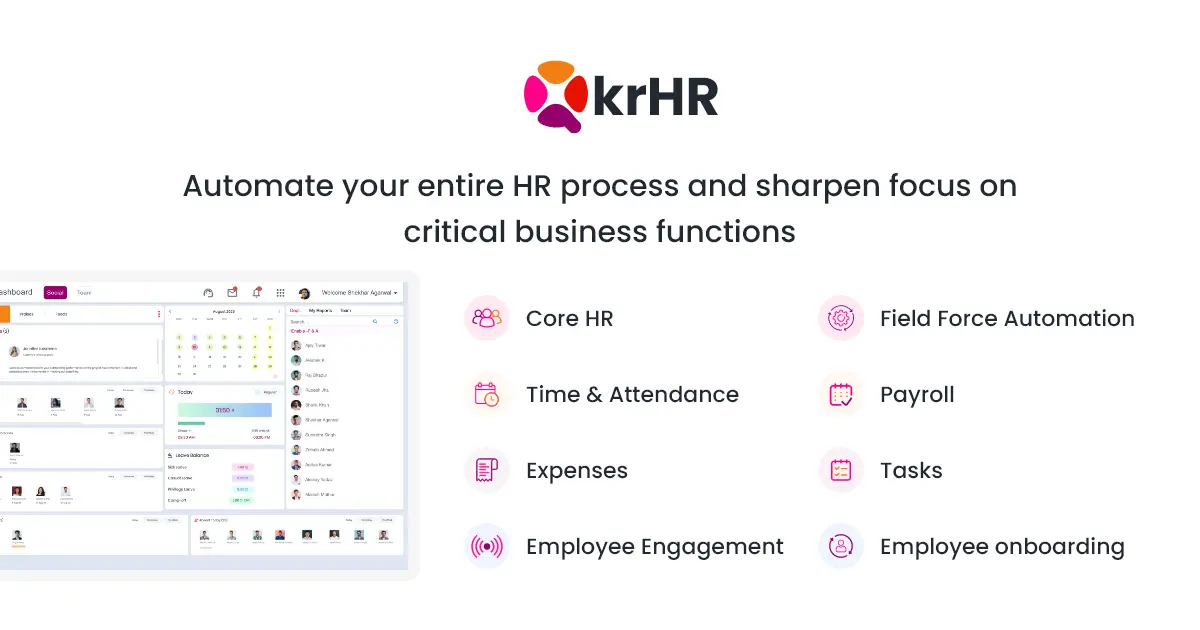
#ESS #EmployeeSelfService #HRTech #EmployeeExperience #HRMS

QkrbizQkrHR ESS Portal | Employee Self Service PortalQkrHR ESS portal: Empower employees with anytime access to payslips, leave, attendance, and personal details. Simplify HR management efficiently.
↩ Reply ♡ 0 · ↻ 0 ↗ Original
Q

A new hire's first day says a lot about your company.

Imagine arriving excited, only to find no laptop, no email ID, no one expecting you, and a stack of forms to fill by hand. You spend the first week waiting for access, figuring out who to ask, and wondering whether you made the right decision.

Now imagine the opposite. Your documents were collected online before you joined. Your manager called you the week before. On day one, your laptop is ready, your team welcomes you, and you have a clear plan for your first week.

Same company. Same salary. Completely different impression.

That's the power of good onboarding.

Why onboarding matters

The first few weeks shape how a new employee feels about the job, the team, and the company. A poor experience can lead to early resignations, slower productivity, and a damaged employer brand. A great one helps people settle in faster, contribute sooner, and stay longer.

The four stages of great onboarding

1. Pre-boarding (offer acceptance to day one)

- Send a welcome message and joining details
- Collect documents online: ID proofs, education certificates, bank details, and previous employment records
- Share the employee handbook and key policies
- Arrange laptop, email, and system access
- Inform the team and assign a buddy

2. Day one

- A warm welcome from the manager and team
- Workspace and equipment ready
- Introduction to the company, culture, and values
- Walkthrough of HR tools, attendance, and leave

3. First week

- Clear role expectations and early goals
- Meetings with key stakeholders
- Training on tools and processes
- Regular check-ins with the manager and buddy

4. First 90 days

- Defined 30, 60, and 90-day goals
- Regular feedback conversations
- Probation review based on clear criteria
- A feedback survey on the onboarding experience itself

How onboarding software helps

Manual onboarding depends on someone remembering every step for every hire. Onboarding software turns it into a repeatable, trackable process:

- Online document collection and verification
- Automatic checklists for HR, IT, admin, and managers
- Digital policy acknowledgements
- Employee profiles created automatically in the HR system
- Payroll and attendance set up from day one
- A consistent experience for every hire, at every location

Common onboarding mistakes to avoid

- Treating onboarding as just paperwork
- Leaving everything to day one
- Overloading new hires with information in the first few hours
- No clear goals for the first month
- Forgetting to check in after the first week

The bottom line

You worked hard to find the right person. Onboarding is how you make sure they stay, settle in, and succeed. A structured, digital onboarding process saves HR time, impresses new hires, and sets the tone for a long and productive relationship.

Learn more about employee onboarding software:
https://www.qkrbiz.com/hrms-software/employee-onboarding-software

#Onboarding #EmployeeExperience #NewHire #HRTech #HRMS

QkrbizEmployee Onboarding Software | Simplify HR & New HiresQkrHr is the best employee onboarding software. Reduce admin time, boost new hire engagement, and go 100% paperless with our platform.
↩ Reply ♡ 0 · ↻ 0 ↗ Original
Q

From the day someone accepts your offer to the day they serve their last notice period, HR manages dozens of touchpoints in their journey.

Documents. Attendance. Leave. Salary revisions. Appraisals. Transfers. Promotions. Exit formalities. Full and final settlement.

When these are handled across separate spreadsheets, email threads, and paper files, things slip. When they're managed in one connected system, the entire employee journey becomes smoother for everyone.

That's what employee management software is about.

The employee lifecycle, stage by stage

1. Hiring and offer

The journey begins with hiring. Offer letters, salary structures, and joining dates should be recorded accurately from day one, because everything after depends on them.

2. Onboarding

Collecting documents, setting up payroll and bank details, assigning policies, sharing the employee handbook, and preparing the first-week plan. A digital onboarding process ensures nothing is missed and new hires feel welcome.

3. Employee records

A complete, secure profile for every employee: personal and job details, documents, reporting manager, and employment history in one place.

4. Attendance and leave

Daily attendance, leave applications, approvals, and balances. These directly affect payroll, so accuracy matters.

5. Payroll and compliance

Monthly salary processing, statutory deductions like PF, ESI, PT, and TDS, and payslip generation. Connected to attendance and leave for accurate calculations.

6. Performance and growth

Goal setting, KRAs, regular check-ins, appraisals, and development plans. This is where engagement and retention are built or lost.

7. Role changes

Promotions, transfers, department changes, and salary revisions. Each change should update the employee's record and flow automatically to payroll and approval chains.

8. Exit and offboarding

Resignation, notice period tracking, handover, asset recovery, exit interview, and full and final settlement. A respectful, organised exit protects your reputation and keeps the door open for rehires and referrals.

Why connected employee management matters

- No duplicate data entry across departments
- Fewer errors in salary, leave, and compliance
- Faster responses to employee queries
- Managers get visibility into their teams
- Leadership gets reliable data for decisions
- Audits and inspections become far less stressful

Signs you need better employee management

- HR spends more time on paperwork than on people
- Employees often complain about errors in salary or leave
- Managers don't have basic information about their teams
- Exit settlements take weeks
- You can't quickly answer "how many employees do we have in each department?"

The bottom line

Employee management isn't just administration. Every interaction shapes how employees feel about your company. When processes are smooth, accurate, and transparent, employees trust the organisation, and HR gets the time to focus on growth, culture, and people.

Learn more about employee management with QkrHR:
https://www.qkrbiz.com/hrms-software/employee-management

#EmployeeManagement #HRMS #EmployeeLifecycle #HR #HRTech

QkrbizEmployee Database & Staff Records Management System | QkrHRUnify staff records with QkrHR employee database management system. Centralize personal data, documents, job history, and assets in one secure HR platform.
↩ Reply ♡ 0 · ↻ 0 ↗ Original
Q

A sales manager returns from a three-day client visit. Hotel bills, cab receipts, meal bills, and fuel slips are stuffed in a folder. Some are faded. One is missing. The claim sits on a manager's desk for two weeks, then goes to finance, who sends it back because a receipt doesn't match.

A month later, the employee is still waiting to be reimbursed for money they spent on company work.

Sound familiar? Manual expense management frustrates employees, burdens finance teams, and makes spending hard to control.

The problems with manual expense claims

- Lost or unreadable paper receipts
- Slow approvals that depend on physical signatures
- No visibility into pending claims
- Errors and duplicate claims that slip through
- Policy limits that aren't checked consistently
- Delayed reimbursements that hurt employee morale
- Hours of manual entry for finance teams

What good expense management looks like

1. Clear expense policies

Start with a clear policy: what's reimbursable, daily limits for travel and meals, required documentation, and claim deadlines. Employees can't follow rules they don't know.

2. Digital claim submission

Employees should be able to submit claims from their phone, snap a photo of the receipt, and add details on the spot, while the trip is still fresh in their minds.

3. Automatic policy checks

The system should flag claims that exceed limits, lack receipts, or look like duplicates before they reach the approver, saving time for everyone.

4. Simple approval workflows

Claims should route automatically to the right manager and then to finance. Approvers should be able to review and approve from their phone, with reminders for anything pending.

5. Real-time tracking

Employees should see exactly where their claim is. No more "Did you get my bills?" messages.

6. Integration with payroll

Approved reimbursements can flow directly into payroll or be paid out separately, with full records for accounting.

7. Spending reports

Finance and leadership should see spending by department, category, project, or employee, helping control costs and plan budgets.

A note on tax treatment

Reimbursements and allowances are not always treated the same way for tax purposes. Proper documentation and classification matter. When in doubt, check with your tax advisor or chartered accountant.

Benefits for everyone

For employees: faster reimbursements and less paperwork.
For managers: quick approvals with all details in one place.
For finance: fewer errors, better control, and audit-ready records.
For leadership: clear visibility into where the money goes.

The bottom line

Expense management doesn't have to be a monthly headache. With clear policies and a digital process, claims get submitted, approved, and paid quickly, and your team gets back to the work that matters.

Learn more about employee expense management:
https://www.qkrbiz.com/hrms-software/employee-expense-management

#ExpenseManagement #Reimbursement #Finance #HRTech #Productivity

QkrbizAutomated Employee Expense Management Software | QkrHRQkrHR's Employee Expense Management System automates tracking, approvals, and reimbursements to boost compliance and reduce manual errors.
↩ Reply ♡ 0 · ↻ 0 ↗ Original
Q

Your employees show up every day. But are they engaged?

There's a big difference between employees who are present and employees who genuinely care about their work, their team, and the company's goals. Engaged employees bring ideas, take ownership, help colleagues, and stay longer. Disengaged employees do the minimum, and often leave as soon as a better offer arrives.

What is employee engagement?

Employee engagement is the emotional connection and commitment employees feel toward their work and organisation. It's not the same as happiness or satisfaction. A satisfied employee might be comfortable. An engaged employee is invested.

Warning signs of low engagement

- Rising absenteeism and late arrivals
- Increasing attrition, especially among good performers
- Fewer ideas or suggestions in meetings
- Missed deadlines and declining quality
- Silence in surveys, or very negative feedback
- Employees who stop going beyond their basic role

What really drives engagement

1. Recognition

People want to know their work matters. Recognition doesn't have to be expensive. A sincere thank-you from a manager, a shout-out in a team meeting, or a simple appreciation note can make a lasting difference, especially when it's timely and specific.

2. A good manager relationship

Employees often say they leave managers, not companies. Managers who communicate clearly, give regular feedback, and support their team's growth are the biggest drivers of engagement.

3. Growth and learning

When employees see a future for themselves, they invest more in the present. Clear career paths, training opportunities, and stretch assignments show that the company is investing in them.

4. Two-way communication

Engagement grows when employees feel heard. Regular town halls, open-door policies, and honest pulse surveys give people a voice, but only if leadership acts on what they hear.

5. Fairness and transparency

Inconsistent policies, unclear appraisals, and payroll errors quietly erode trust. When processes are fair, transparent, and consistent, employees feel respected.

6. Wellbeing and work-life balance

Burnout kills engagement. Reasonable workloads, flexible leave, and genuine support during personal difficulties go a long way.

Practical ways to boost engagement

- Run short pulse surveys every few months and share what you'll change
- Celebrate birthdays, work anniversaries, and team wins
- Train managers to give regular, constructive feedback
- Create a simple peer recognition programme
- Make HR processes like leave and payslips easy and self-service
- Hold regular one-on-ones between managers and team members
- Share company goals and progress openly

How to measure engagement

Track participation in surveys, eNPS (would you recommend this company as a place to work?), attrition rates, absenteeism, and internal referrals. Watch the trends over time rather than any single number.

The bottom line

Employee engagement isn't a one-time event or an annual party. It's built every day through recognition, fair processes, good managers, and real conversations.

Companies that invest in engagement don't just retain talent. They build teams that genuinely want to see the business succeed.

Read more about building an engaged workplace:
https://www.qkrbiz.com/hrms-software/employee-engagement

#EmployeeEngagement #WorkplaceCulture #HR #Retention #Leadership

QkrbizEmployee Engagement Platform for Modern Teams | QkrHRBoost productivity and morale with QkrHR's Employee Engagement tools — real-time feedback, recognition, surveys, and performance tracking.
↩ Reply ♡ 0 · ↻ 0 ↗ Original
Q

Every HR process you run, from payroll to performance reviews, depends on one thing: accurate employee data.

If an employee's bank details are outdated, their salary bounces. If their joining date is wrong, their leave and gratuity calculations are wrong. If their reporting manager isn't updated after a transfer, approvals go to the wrong person.

That's why Core HR is the foundation of every HR system.

What is Core HR?

Core HR is the central record of everything about your employees and your organisation. It typically includes:

- Employee profiles: personal details, contact information, emergency contacts, and bank details
- Job information: designation, department, grade, location, reporting manager, and employment type
- Employment history: joining date, confirmation, promotions, transfers, and salary revisions
- Documents: offer letters, appointment letters, ID proofs, educational certificates, and policy acknowledgements
- Organisation structure: departments, teams, locations, and reporting hierarchies
- Policies: leave, attendance, and HR policies assigned to the right employee groups

Why Core HR matters

1. One source of truth

When employee data lives in five different spreadsheets, nobody knows which one is correct. Core HR gives everyone, from HR to finance to managers, the same reliable information.

2. Everything else depends on it

Attendance, leave, payroll, compliance, and performance modules all pull data from Core HR. Get the foundation right, and everything built on top of it works better.

3. Faster audits and compliance checks

Labour inspections, statutory audits, and internal reviews often require employee records and documents at short notice. With Core HR, they're a few clicks away instead of buried in cupboards.

4. Better data security

Employee data is sensitive. A proper Core HR system controls who can see and edit what, so salary details aren't visible to everyone and every change is tracked.

5. Smoother employee lifecycle

Promotions, transfers, role changes, and exits all update the employee record in one place, and the change flows automatically to payroll, approvals, and reports.

Signs your Core HR needs fixing

- You maintain separate employee lists for HR, payroll, and admin
- Updating one employee's details means editing several files
- Finding a document takes more than a few minutes
- Managers don't know their team's basic details
- Your org chart is outdated the day after you make it
- Employee data is shared over email without controls

What good Core HR looks like

A strong Core HR system should be easy to update, secure by design, and connected to every other HR process. Employees should be able to view and request updates to their own details. HR should be able to bulk-update records when policies or structures change. And leadership should be able to see the organisation clearly, by department, location, or grade.

The bottom line

Core HR isn't the most exciting part of HR technology, but it's the most important. Without clean, centralised employee data, every other process becomes slower, riskier, and more frustrating.

Fix the foundation first, and everything else gets easier.

Learn more about Core HR:
https://www.qkrbiz.com/hrms-software/core-hr

#CoreHR #HRMS #EmployeeData #HRTech #HROperations

QkrbizBest Core HR Software | Automate Core HR Functions | QkrHRQkrHR smoothly automates core HR activities from employee entry to exit according to the specific needs of every organization. Start your Free Demo of top HRIS software.
↩ Reply ♡ 0 · ↻ 0 ↗ Original